acsMacL

⌥Space

Type.
Enter.

acsMacL is a launcher for the Mac. One shortcut, a few letters, and the file is open. No account, no subscription, no second search index.

The interface is in German. acsMacL is built in Germany and, for now, speaks only German: every label, message and search prefix in the app is German, and that does not change with your system language. What you type to search is your own file names, so that part is yours. If a German interface is a dealbreaker, better to know now than after the download.

Download free Ask for beta access Version 1.0.5, signed and notarised by Apple. The free version runs without a time limit — and 100 testers get a full PRO licence for free.

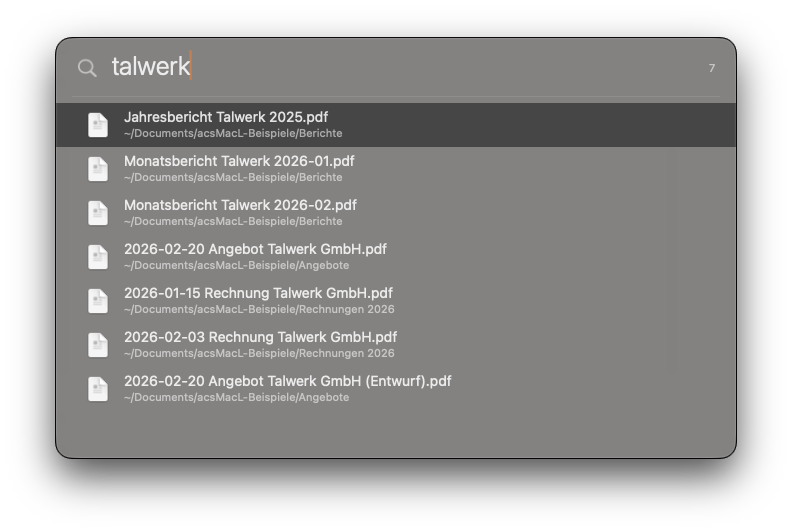
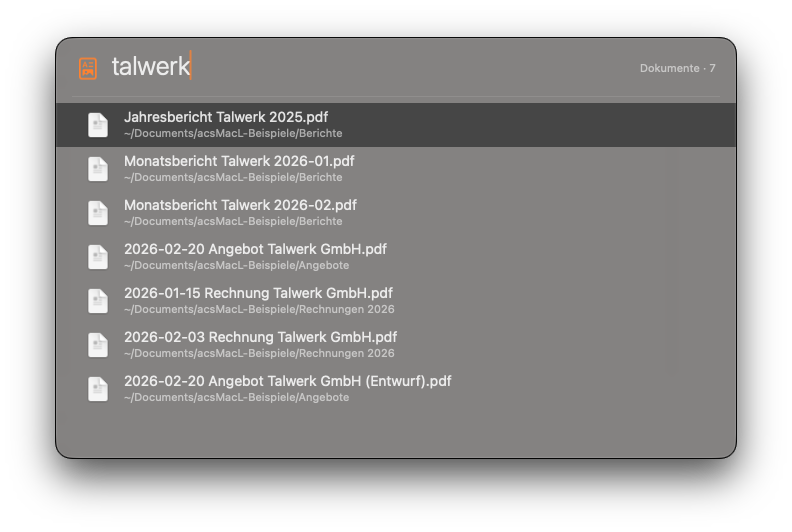
acsMacL in use: typing „talwerk“ brings up seven PDF files, then „=1920*1080“ shows the result 2073600, then „a safari“ finds the application.

s

Snippets that fill themselves in PRO

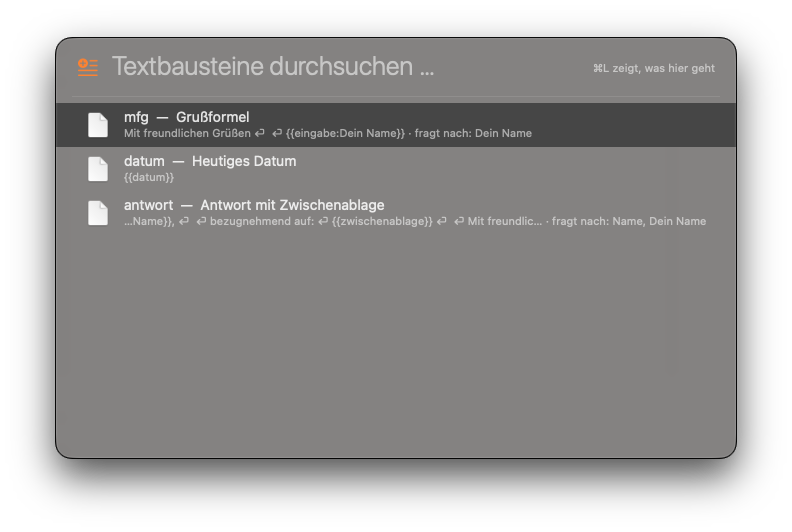
List of text snippets, each with the stored text underneath.

s, then part of the shortcut, the title or the text — all three are searched. Enter puts the finished snippet on your clipboard, the window closes and hands the keyboard back: you paste it with ⌘V right where you were. The placeholders fill themselves in on the way: {{datum}}, {{zeit}}, {{zwischenablage}}. And {{eingabe:Your name}} asks you first.

p calculator

See what is running

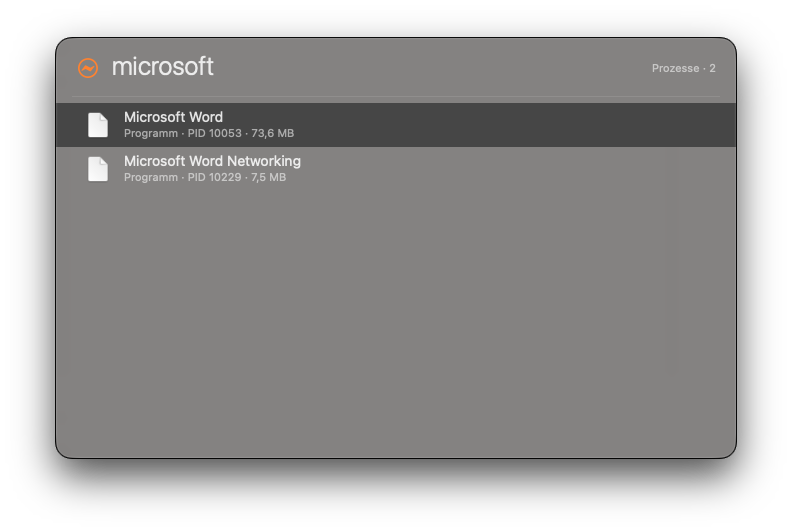
Process list for the search term „calculator“: the Calculator with its icon, process ID and 99.2 MB of memory.

Which application is eating your memory? The list shows it with its process ID — here the Calculator — and you quit it right there, by force if you have to.

It also does this

  • Filing without a detour through the Finder PRO

    Pick a hit, type the destination folder, done. Collect several finds in a stack first if you like. Nothing is ever overwritten, and every step can be undone.

    ⌘M to move, ⇧⌘M to copy, ⌘K for the stack, ⌘Z to undo.

  • Removing applications with the files that belong to them PRO

    acsMacL shows you every file that belongs to an application, with its full path and size. What you confirm goes to the Trash — and no further. It refuses itself and the applications that come with macOS.

    Type a, select the application, ⌘L → „Programm deinstallieren“.

  • Recently opened, per application

    a word shows Word and, below it, the documents you were last working on. One step instead of three.

  • A clipboard that remembers

    What you copied stays findable — stored encrypted, with pinning and your own notes. Password managers are left out. Ten entries are free; with PRO the limit is gone.

    ⌃⌥V from anywhere, or v in the search field. Return puts the entry back on the clipboard, then ⌘V pastes it.

  • A screenshot that can read PRO

    Drag a region: the image lands in the history, the text in it is recognised and sits right next to it. From there you drag the image straight into another application — acsMacL writes no file while doing it, so your disk stays clean.

    ⇧⌘S, then drag the region. Needs the Screen Recording permission once.

  • Arithmetic in passing

    = 12*12, and Enter copies the result. No second window, no detour.

    = as the first character — a space after it is fine.

You choose the shortcuts yourself. ⌘L shows what is possible at any given point — there is nothing to memorise. Every feature step by step is in the guide.

If you already have a launcher

Three things acsMacL does differently. You notice all three in daily use.

No second index

macOS already keeps a catalogue of your files. acsMacL asks that one instead of building its own alongside it. So there is nothing to index, nothing stored twice, and a new file is findable the moment your Mac knows about it — the list of hits appears, measured on one Mac, in roughly a tenth of a second.

The list holds still

The moment you arrow through the hits, the order is fixed. Whatever turns up afterwards is appended at the bottom. The line under your cursor does not move away.

No tracking, no network in use

You never sign in to work with it. No usage statistics, no call home at launch. Exactly two things ever leave your Mac: redeeming your licence key — the key and an identifier of your Mac that cannot be traced back to the machine — and checking for a new version when you ask it to. Otherwise acsMacL runs without a network. What you type stays where you typed it.

Price

Pay once, keep it. Updates within the major version are free. Software that runs entirely on your own machine causes no running costs — and so has no claim to running payments.

Free

€0forever

Find and open.

  • File and application search
  • Full-text search inside your files
  • Several search terms, extensions, date ranges
  • Every search mode and the category bar
  • Preview, open, reveal in Finder, copy path
  • Calculator
  • Keeping the Mac awake — type minutes or a clock time
  • Recently opened, per application
  • Process list, with quit on the spot
  • Clipboard up to 10 entries, with pinning and notes

PRO

€9one time

Work with it.

  • Everything in the free version
  • Clipboard without a limit instead of 10
  • Snippets with placeholders
  • Move, copy and the collection stack
  • Screenshot with text recognition
  • Remove applications: the full file list first, then the Trash

Available right now without paying: 100 places in the test programme, with a full PRO key. Ask for beta access

No subscription. One licence covers two Macs, and the same Mac may re-activate as often as it likes. You redeem the key once; after that the licence is a signed file your Mac checks on its own — without a network, and even when our server is unreachable. Changing machines? Reply to your licence email and we reset your activations; you then activate once more on every Mac you are keeping.

What you need

System
macOS 14 or newer, Apple silicon
Full Disk Access
Needed for search. Without it your documents stay invisible.
Screen Recording
Only if you use the screenshot feature. Otherwise it is not needed.
Anything else
Nothing. acsMacL goes online when you redeem your licence key and when you ask it to look for a new version. Never otherwise.

Download

acsMacL 1.0.5 is signed with a Developer ID and notarised by Apple: unpack it, drag it to your Applications folder, start it. The first time, macOS asks once whether you really want to open it — that is all. No detour through System Settings.

The free version is not a trial with an expiry date: searching, opening and calculating stay free for good. For the PRO features you buy the key once and redeem it in the app.

Download free ZIP, about 0.5 MB.